At DevDay on 29 September 2026, OpenAI opened up the platform it uses to build ChatGPT’s own features. Plugins can now have a home in the ChatGPT sidebar, open interactive panels beside a conversation, and act as viewers for your product’s file types. With ChatGPT used by more than 1.2 billion people each week, the question for founders is simple: should you build a ChatGPT plugin for your business now?
This explainer covers what changed, who gains most, what a plugin takes to build and get approved, and the risks to plan for.
Key takeaways
- ChatGPT plugins are built on an MCP (Model Context Protocol) server, with optional skills and an optional custom interface. The same plugin works in ChatGPT and Codex.
- New plugin extensions add sidebar apps, conversation panels, file viewers, plugin settings, richer forms and onboarding. Canva, Figma and Adobe already use them.
- Plugins can now start automations from events in a connected app, using the proposed MCP Events specification announced at DevDay.
- Public listing needs a stable HTTPS endpoint, a verified developer identity, OAuth for private data, and OpenAI’s review. Internal-only plugins have a separate path.
- The best first plugin does one job your customers already ask for, such as search, booking, order status or quoting, and hands payment to your own checkout.
In this guide
- What changed at DevDay 2026
- Who should build a ChatGPT plugin
- How to build a ChatGPT plugin for your business
- Plugin, website chatbot or custom agent?
- Risks and limits
- FAQ
What changed at DevDay 2026
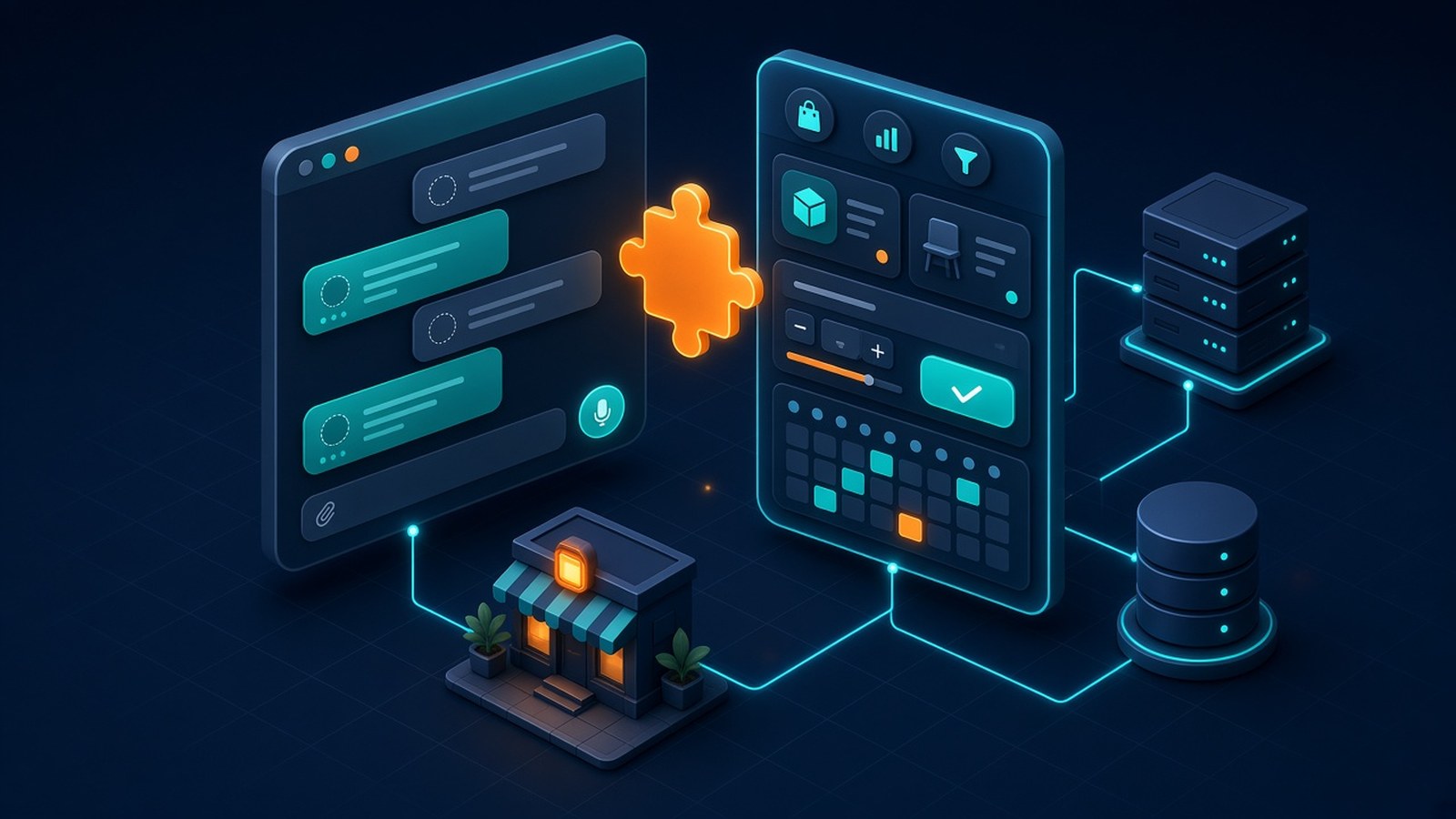
In short, a plugin is no longer just a set of tools ChatGPT can call. It can now be a visible part of ChatGPT’s interface. OpenAI’s extension documentation describes these surfaces, each declared with a few lines of SDK code:
| Extension | What users can do | Business example |
|---|---|---|
| Sidebar apps | Open your app from ChatGPT’s sidebar and work in it full screen | A property search or product catalogue customers return to |
| Conversation panels | Open your app beside a chat, keeping work and conversation together | A quote builder that fills in as the user describes the job |
| File viewers and editors | Open supported file types in your own interface and save changes | A SaaS tool that opens its own design, CAD or report files |
| Extended forms | Collect structured input, including picking from images | Choosing a room type, a menu item or a product variant |
| Plugin settings and onboarding | Configure the plugin and get guided setup inside ChatGPT | Linking an account and choosing a default store or branch |
Real examples are already live. Canva uses a sidebar tab to create and preview designs, Figma lets desktop users mention files in the composer, and Adobe opens files for editing in Acrobat and Photoshop inside ChatGPT.
Three other DevDay announcements matter for business plugins. MCP events let a plugin start an automation when something happens in a connected app, such as a new task on a project board. Business, Enterprise, Healthcare and Edu workspaces can add supported plugins to the Sites they build, so teammates use the same app with their own data and permissions. OpenAI also improved plugin creation, submission and directory ranking.
Who should build a ChatGPT plugin
The short answer: businesses whose customers already ask ChatGPT questions that end in a lookup, a booking, a quote or a purchase. If your answer depends on live data that only you hold, such as stock, prices, availability or order status, a plugin lets ChatGPT give that answer with your data instead of a guess.
- E-commerce and marketplaces. Product search with live stock and prices shown as cards or a carousel, then a hand-off to your own checkout. Our guide to AI shopping agents covers the product-data work this needs.
- Food delivery and grocery. Menu browsing, reorder of a past basket, and delivery-slot lookup. OpenAI’s UI guidelines name menus as a good fit for full-screen views.
- Real estate. A full-screen listings view with filters and a map, where the user keeps refining the search in plain language.
- Internal operations. A private plugin that lets your staff query the CRM, order system or support desk from ChatGPT, with their existing permissions.
Plugins add little when there is no live data or action behind them. In that case, improve your website content and support chatbot first.
Thinking about a ChatGPT plugin for your store, app or SaaS? Tell us what customers ask most, and we will map the tools, data and sign-in it needs. Get a real project estimate within 24 hours. NDA on request.
How to build a ChatGPT plugin for your business
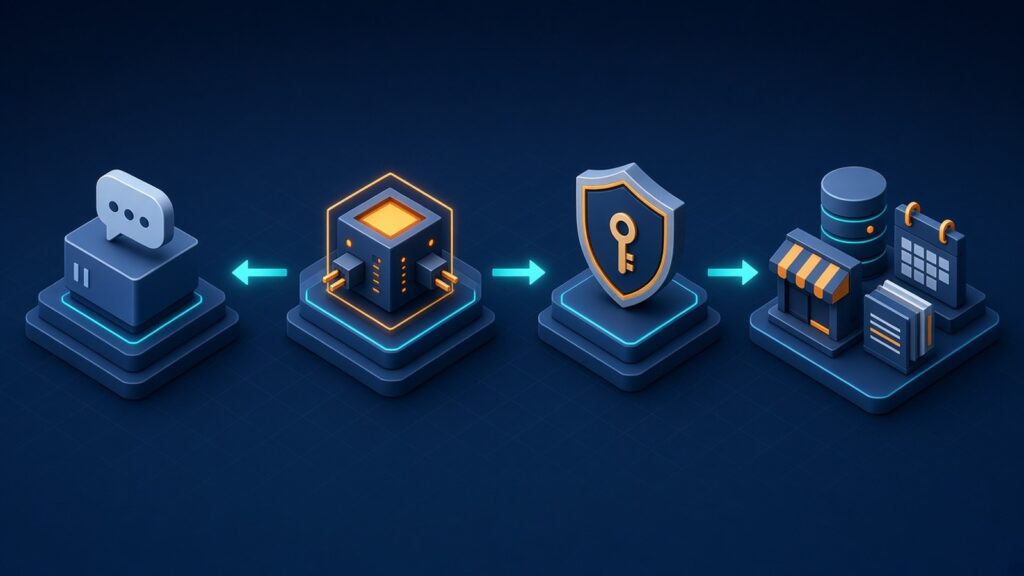
To build a ChatGPT plugin for your business, you need an MCP server that exposes a few well-described tools, a way to sign users in, and optionally a small web interface. OpenAI’s MCP server guide recommends the official TypeScript or Python SDKs and a public HTTPS endpoint, typically ending in /mcp.
- Pick one job. List the questions customers ask that need your live data, and choose the one with the clearest outcome, such as “find a matching product” or “check my order”.
- Design the tools. Each tool should map to a user goal, with a clear description and accurate annotations. OpenAI’s guidance treats tool descriptions as the manual ChatGPT reads before using your app.
- Add sign-in and authorisation. Any tool that reads private data or takes action needs authentication, and the guide says to enforce authorisation on the server for every request. The submission portal supports no authentication, OAuth, or a mix of both, but has no API-key connection flow.
- Add UI only where it helps. Custom UI is optional. Start with inline cards and move to a panel or full screen only for tasks such as maps, comparisons or editing.
- Test, then submit. Submission needs a verified individual or business identity, a domain-verification step, a ZIP package, and review. For review, OpenAI asks for working test prompts, privacy policy and company URLs, and a reachable production endpoint.
- Iterate. After publishing, MCP server changes go live once they pass automated checks; metadata or skill changes need a new ZIP.
Payments: use your own checkout first
OpenAI’s UI documentation recommends external checkout, a link from the plugin to a checkout on your own domain, as the generally available approach. Embedded checkout with the ChatGPT payment sheet is in private beta for select marketplaces and is not available to all developers.
Plugin, website chatbot or custom agent?
A ChatGPT plugin does not replace your own channels. It adds a new place where people meet your business. Most companies will end up with more than one of these, sharing the same back-end tools.
| Option | Where users meet it | Best for | Watch out for |
|---|---|---|---|
| ChatGPT plugin | Inside ChatGPT and Codex | Being found and used where your customers already ask questions | OpenAI’s review, directory ranking and policy changes; less control of the experience |
| Website or app chatbot | Your own site or app | Support, lead capture and a branded experience you fully control | You have to bring the traffic yourself |
| Custom agent (AI agent) | Your back office, workflows and internal tools | Multi-step work such as triage, data entry or follow-ups | Needs evaluation, monitoring and human review for risky actions |
The good news is that the work overlaps. A well-built MCP server can serve a ChatGPT plugin today and other MCP-compatible clients later, because MCP is an open protocol.
Risks and limits
- Approval and visibility are not guaranteed. Every public plugin goes through review, and directory ranking decides how often people see it. Budget for a revision round.
- Prompt injection and over-permission. A plugin that can act on accounts must treat model output as untrusted. Map your defences to the OWASP Top 10 for LLM applications and ask users to confirm consequential actions.
- Personal data. Customer data now flows through a third-party AI platform. Update your privacy policy, collect only what each tool needs, and for Indian users check your duties under the DPDP Act.
- Platform dependency and rollout gaps. Features and policies change quickly, and some extensions are desktop-only or still reaching Free and Go users on the web. Keep business logic and data on your server so you can adapt.
FAQ
What is a ChatGPT plugin in 2026?
It is a package that connects ChatGPT and Codex to your product. It can include an MCP server with tools that read live data or take actions, skills with instructions, and an optional interface. Since DevDay 2026, that interface can also appear in the sidebar, a conversation panel or a file viewer.
Do I need a custom interface for my plugin?
No. OpenAI says custom UI is optional and that tools should stay useful without it. Add UI when people need to inspect, compare, confirm or edit something, such as product cards, a map or a booking form. Many good first plugins are tools plus simple inline cards.
Can customers buy from my store inside ChatGPT?
Yes, through your own checkout. OpenAI recommends linking from the plugin to a checkout on your domain, which is generally available. Embedded checkout with the ChatGPT payment sheet is in private beta for select marketplaces, so most stores should plan for external checkout first.
Can I build a plugin only for my own staff?
Yes. A Secure MCP Tunnel can connect a private MCP server to ChatGPT without exposing it publicly, though that route does not qualify for public submission. Internal plugins for CRM, order or support lookups are a practical way to learn before you build a customer-facing one.
What do I need before submitting a plugin for review?
You need a stable public HTTPS MCP endpoint, a verified individual or business developer identity, domain verification, accurate tool descriptions, privacy policy and company URLs, and test prompts with expected responses. If the plugin reads private data, set up OAuth so reviewers can sign in and test it.
Will a ChatGPT plugin replace my website chatbot?
No. A plugin reaches people inside ChatGPT, while your own chatbot serves visitors on your site and app with your branding and data rules. Both can call the same back-end tools, so building one well makes the other cheaper to add.
How do I get an estimate for a ChatGPT plugin?
Share the customer questions you want to answer, the systems involved and your timeline. Eoxys reviews it and sends a real project estimate within 24 hours, with fixed-cost, dedicated-team or hourly options. NDA on request.
Build your ChatGPT plugin with a team that ships
Eoxys IT Solution has built web and mobile products from Jaipur since 2009, with 700+ projects delivered across e-commerce, food delivery, fintech, health, EdTech and real estate. You can see the work and read client reviews on our portfolio and home page.
Whether you need an MCP server and plugin, a chatbot or AI agent, a custom AI and machine learning solution, a store integration or a full web or mobile app, get a real project estimate within 24 hours. NDA on request.
Related reading:
- AI Agents in 2026: From Helpful Assistants to Autonomous Digital Co-workers
- AI Shopping Agents for E-commerce: Get Your Store Ready Now
- How AI Chatbots are Transforming Customer Support for Businesses
- AEO Services: Get Cited in ChatGPT and Google AI Overviews
- How to Get Your Business Recommended by ChatGPT in 2026
Sources
Checked on 12 Oct 2026 against OpenAI’s DevDay 2026 recap, OpenAI’s GPT-6 announcement and the OpenAI developer documentation for plugins (extensions, UI, MCP server, submission and review). No prices are quoted in this post.
- OpenAI: DevDay 2026 Recap (29 Sep 2026)
- OpenAI: GPT-6 and Intelligent UI for everyone (7 Oct 2026)
- OpenAI Developers: Plugin Extensions
- OpenAI Developers: Add UI to your MCP server
- OpenAI Developers: UI guidelines
- OpenAI Developers: Build an MCP server
- OpenAI Developers: Upload and submit your plugin
- OpenAI Developers: Remote MCP server review requirements
- Model Context Protocol: official site
- OWASP: Top 10 for LLM Applications

Shafeeq Khan is a web developer who creates modern, responsive, and user-friendly websites with clean code and creative design