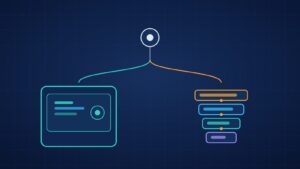
On-device AI means the model runs on the user’s phone instead of on your servers. Since September 2025, every iOS app can call Apple’s on-device language model through the Foundation Models framework, and Android apps can use Gemini Nano through Google’s ML Kit GenAI APIs. For businesses this changes three things: what you can offer offline, how you handle sensitive data, and how your AI running costs scale.
This guide explains what on-device AI can and cannot do in 2026, where it fits in real apps, the trade-offs, and how to decide between on-device, cloud or a hybrid of both.
What on-device AI means in 2026
Until recently, “AI in an app” almost always meant sending the user’s data to a cloud API. That still works well for large, complex tasks. What has changed is that capable models now ship with the operating system or are small enough to bundle with an app.
Apple: Foundation Models framework
Apple says the framework gives developers direct access to the roughly 3-billion-parameter model at the core of Apple Intelligence, with guided generation (reliable structured output), tool calling and inference that is free of cost and available offline. At WWDC26, Apple added access to a larger server model on Private Cloud Compute through the same API. Apple’s session describes the on-device model as working offline with a 4K context window, while the Private Cloud Compute model needs a connection, has a daily per-user limit and offers a 32K context with reasoning.
Android: Gemini Nano and ML Kit GenAI
On Android, Gemini Nano runs inside the AICore system service. Google lists the benefits plainly: input, inference and output stay on the device, features work without a reliable connection, and there is no additional server cost for each API call. Ready-made APIs cover summarisation, proofreading, rewriting and image description, and the Prompt API accepts custom text or image-plus-text prompts. Support is limited to a list of recent devices, so you always need a fallback.
Open models you ship yourself
If you need the same model on every platform, you can bundle an open model. Google’s Gemma 4 E2B can run in under 1.5 GB of memory on some devices using the LiteRT-LM runtime. Meta’s ExecuTorch, which Meta says powers on-device AI across Instagram, WhatsApp and its smart glasses, is the PyTorch route to the same goal.
Benefits of on-device AI for business apps
- Privacy by design: health notes, financial documents, photos and messages can be processed without leaving the phone. That simplifies your data map under laws such as India’s DPDP Act and the EU’s GDPR, although it does not remove your obligations.
- Works offline: field staff, travellers and users with patchy networks still get the feature.
- Lower latency for small tasks: no network round trip for things like suggestions, classification or short rewrites.
- Running costs that do not grow per call: system models on iOS and Android do not bill per request, so a popular feature does not create a matching cloud bill. You still pay to build, test and maintain it.
Trade-offs to understand before you commit
- Device coverage: Apple’s framework needs an Apple Intelligence-compatible device with the feature enabled; ML Kit GenAI supports a published list of phones. Older and budget devices, which matter a lot in markets like India, need a cloud or non-AI fallback.
- Smaller models: on-device models are good at focused tasks such as summarising, extracting fields, classifying and short generation. They are weaker at long documents, deep reasoning and broad world knowledge.
- App size and memory: bundling your own model adds downloads of hundreds of megabytes or more, plus memory pressure on mid-range phones. System models avoid this.
- Battery and heat: sustained inference uses power, so design for short bursts rather than continuous processing.
- Updates and consistency: system models are updated by Apple and Google on their schedule, which can change outputs. Version your prompts and keep an evaluation set so you notice changes.
Not sure whether your feature should run on-device or in the cloud? We can review it with you. Get a real project estimate within 24 hours. NDA on request.
Use cases that suit on-device AI
Healthcare and wellness
Summarising a patient’s own notes, structuring symptom diaries or describing workout data without sending raw health information to a server. Apple’s announcement mentions fitness apps already using the framework to summarise workout metrics.
Finance and insurance
Extracting fields from a photographed invoice or claim form, categorising expenses and drafting short explanations, all on the device before anything is uploaded.
Education
Apple cites apps that generate personalised quizzes from a student’s own material. Offline support matters for students with limited data plans.
Field service and logistics
Technicians can dictate notes, get a structured job report and search manuals offline at a customer site or in a warehouse with no signal.
Retail and e-commerce
Rewriting product reviews into short summaries, smart search suggestions and tagging user-uploaded photos, with heavier tasks such as recommendations left to the server.
On-device, cloud or hybrid: how to decide
| Question | On-device | Cloud | Hybrid |
|---|---|---|---|
| Is the data sensitive? | Strong fit | Needs extra safeguards | Keep sensitive steps local |
| Must it work offline? | Yes | No | Core feature offline, extras online |
| Is the task complex or long? | Weak fit | Strong fit | Route by task |
| Do all your users have recent phones? | Required | Not required | Fallback for older phones |
| Running cost per use | No per-call fee | Billed per use | Mix of both |
Most production apps end up hybrid: an on-device model for quick, private steps, and a cloud model for heavy lifting, with clear rules about which data may leave the phone.
How to build an on-device AI feature
- Pick one focused task, such as “turn a voice note into a job report”, and define what a good result looks like.
- Check device coverage against your real user base (analytics will tell you which phones your users have) and design the fallback first.
- Prototype with system models: Foundation Models on iOS, ML Kit GenAI on Android. Move to a bundled open model through LiteRT-LM or ExecuTorch only if you need cross-platform consistency.
- Use structured output and tools: both platforms can return typed objects, which makes results reliable enough to drive your UI.
- Evaluate on real samples, on low-end and high-end devices, measuring quality, latency, memory and battery.
- Ship behind a feature flag and monitor quality, crashes and fallback rates.
Cross-platform apps built in React Native or Flutter can call these native APIs through platform channels or native modules. Eoxys builds this kind of feature as part of our mobile app development and AI and machine learning work.
What it costs
Costs depend on scope, so treat any number quoted before discovery with caution. The main drivers are the number of AI features, whether you use system models or bundle your own, how many platforms and device tiers you support, the fallback path, and the evaluation work needed for regulated data. The running-cost picture is the attractive part: system models have no per-call fee, so cost is mostly upfront engineering and ongoing maintenance.
Risks and limits
- Silent quality changes when the OS updates the system model. Keep regression tests.
- Uneven experience between users with new and old phones. Make the fallback good, not an afterthought.
- Security of bundled models: a model shipped inside your app can be extracted. Do not bake secrets or proprietary data into prompts or weights.
- Compliance still applies: on-device processing reduces risk, but consent, transparency and data-retention rules still cover anything you sync or log. The EU AI Act’s transparency rules apply from August 2026, and India’s DPDP Rules phase in by May 2027.
FAQ
Does on-device AI work on all phones?
No. Apple’s framework needs an Apple Intelligence-compatible device, and Gemini Nano through ML Kit runs on a published list of Android phones. You can bundle a small open model for wider reach, at the cost of app size and memory. Always design a fallback for unsupported devices.
Is on-device AI good enough to replace cloud AI?
For focused tasks such as summarising, extracting and classifying, often yes. For long documents, complex reasoning or broad knowledge, cloud models are still stronger. Most apps use both and route each task to the right place.
Does on-device AI make my app automatically compliant?
No. It reduces the personal data you send to servers, which helps, but you still need consent, clear disclosures and secure handling of anything you store or sync.
Can I add on-device AI to my existing React Native or Flutter app?
Yes. The native APIs can be wrapped in a module and called from your shared code, so you do not need to rebuild the app.
Build privacy-first AI features with Eoxys
Eoxys IT Solution has built mobile apps from Jaipur since 2009 for clients in India, the US, the UK and the Middle East. Browse our portfolio or tell us the feature you have in mind.
Get a real project estimate within 24 hours. NDA on request.
Sources
- Apple Newsroom: Foundation Models framework (September 2025)
- Apple WWDC26: Foundation Models on Private Cloud Compute
- Google: ML Kit GenAI APIs overview
- Google: GenAI Prompt API
- Google Developers Blog: Gemma 4 on the edge
- PyTorch ExecuTorch
- European Commission: AI Act
Related reading:
- Artificial Intelligence in Mobile App Development: The Complete 2025 Guide
- The Future of Sustainable AI Green Computing Trends Shaping 2026
- Mobile and web app development services
- Siri AI Integration for iOS Apps: How to Get Your App Ready
- DPDP Compliance for AI Apps: What to Fix Before May 2027


Shafeeq Khan is a web developer who creates modern, responsive, and user-friendly websites with clean code and creative design